
BISE Rawalpindi Requires Biometric Devices and Laptops for Class 9 & 11 Registration 2026–28
BISE Rawalpindi has directed affiliated institutions to arrange biometric devices and laptops before online registration of Class 9 and 11 students for academic session 2026–2028.
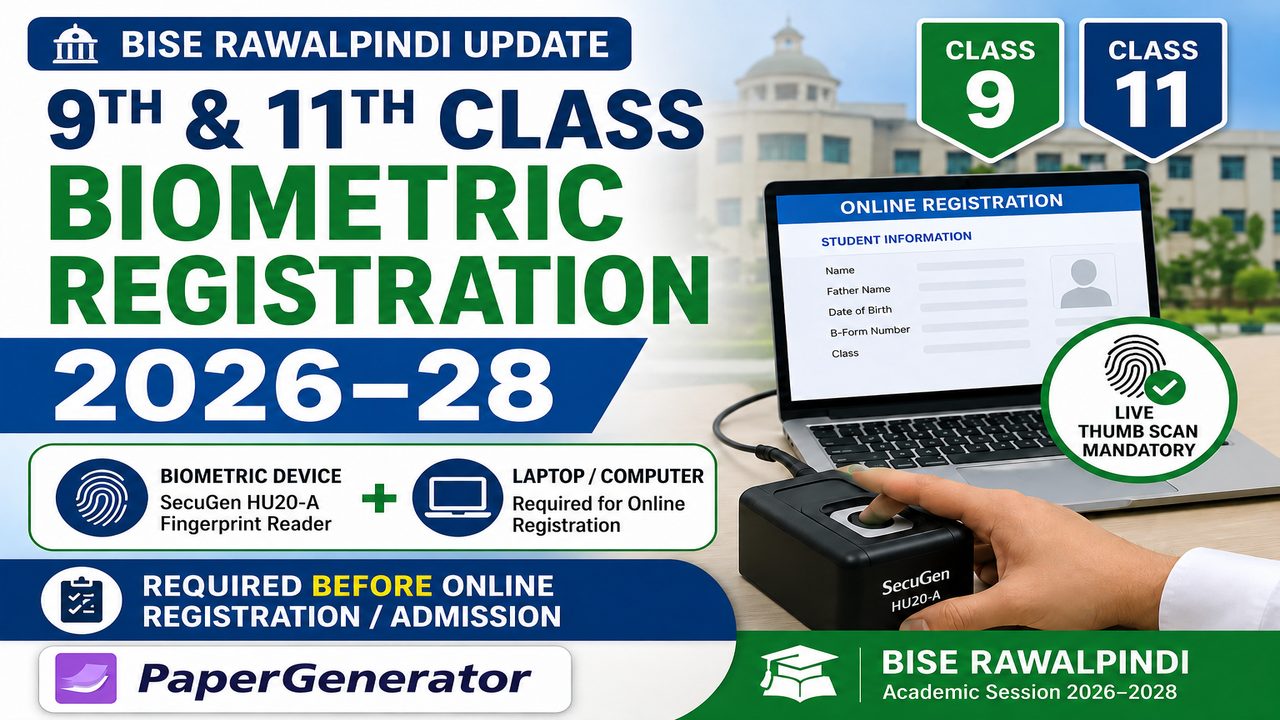
Pakistan's education system is continuing its shift toward digital and biometric student verification, with an important new requirement affecting educational institutions affiliated with the Board of Intermediate and Secondary Education Rawalpindi (BISE Rawalpindi).
According to an official BISE Rawalpindi circular for the academic session 2026–2028, educational institutions must ensure the availability of a compatible biometric fingerprint device and laptop/computer before the online registration and admission of Class 9 and Class 11 students.
The requirement is intended to support live biometric verification while student information is being entered into the board's online registration system.
Under the instructions, institutions must be prepared to capture the live fingerprints of both thumbs of candidates during online registration. The board's circular specifically identifies the SecuGen HU20-A Fingerprint Reader as the biometric device to be arranged by institutions.
This development is important for school and college administrators, teachers, parents and students because registration may not be completed if the required biometric verification is unavailable.
What Has BISE Rawalpindi Announced?
BISE Rawalpindi issued an official circular dated April 25, 2026, concerning the availability of biometric devices and computers in educational institutions before online registration and admission of 9th and 11th Class students for academic session 2026–2028.
The notice appears in both the SSC and HSSC registration-guideline sections of the official BISE Rawalpindi website.
The central requirement is straightforward: affiliated educational institutions must have the necessary biometric and computer equipment available before carrying out the relevant online student-registration process.
The required setup includes:
-
SecuGen HU20-A Fingerprint Reader
-
Laptop or desktop computer
-
Working online registration access
-
Ability to capture live fingerprints of both thumbs
-
Staff capable of completing the online registration process
The board has made biometric verification part of the student-registration workflow rather than treating it as an optional step.
Students, parents and institutions can check announcements through the official BISE Rawalpindi website.
Which Students Are Affected?
The notice specifically concerns students being registered or admitted for:
-
Class 9 / SSC Part-I
-
Class 11 / HSSC Part-I
-
Academic Session 2026–2028
This means schools handling Class 9 registration and colleges or higher secondary institutions handling Class 11 registration need to ensure that the required equipment is available.
The instructions primarily place operational responsibility on the affiliated educational institution, because the live biometric scan has to take place during online entry of the student's registration information.
Live Fingerprint Scanning of Both Thumbs
One of the most important parts of the new system is the requirement for live fingerprint scanning.
Instead of simply entering a student's name, B-Form details and other information into an online form, the institution must also complete biometric verification by capturing fingerprints during the registration process.
According to the BISE Rawalpindi instructions, the fingerprints of both thumbs are to be scanned live during online data entry.
This is significant because live biometric capture can make it more difficult to create duplicate or fraudulent student records.
The purpose is to connect the registration information being submitted online with the actual student appearing at the institution.
Which Biometric Device Is Required?
The official BISE Rawalpindi circular specifically mentions:
SecuGen HU20-A Fingerprint Reader
Educational institutions should therefore be careful before purchasing fingerprint hardware.
A generic fingerprint scanner may not necessarily work correctly with the board's registration software or biometric integration.
Schools and colleges should confirm technical requirements through official board instructions before purchasing or installing equipment.
This is particularly important because buying incompatible hardware could delay student registration.
Why Is a Laptop or Computer Also Required?
A biometric scanner alone cannot complete the registration process.
The fingerprint reader has to communicate with the board's online registration system through a compatible computer.
Institutions therefore need a working laptop or desktop computer along with:
-
Reliable internet access
-
Compatible biometric hardware
-
Required drivers or software
-
Browser or registration portal access
-
Staff familiar with the online registration procedure
The combination of a biometric reader and computer allows student details and live fingerprint information to be processed together.
Registration May Not Be Completed Without Biometric Scanning
This is one of the most important points for educational institutions.
The BISE Rawalpindi circular states that registration will not be possible without the required live biometric scanning.
Institutions should therefore avoid waiting until the final registration deadline before testing their equipment.
If a biometric device is unavailable, incompatible or not working correctly, students could experience registration delays.
Administrators should test the complete setup before beginning large batches of student registrations.
This includes checking the fingerprint reader, computer, internet connection and online registration portal.
Responsibility of School and College Heads
The instructions place significant responsibility on the head of each affiliated educational institution.
Schools and colleges need to ensure that the required biometric equipment and computer system are ready before registration is carried out.
A sensible preparation checklist includes:
-
Purchase or arrange the required fingerprint reader.
-
Install the appropriate device drivers.
-
Connect the scanner to the registration computer.
-
Test fingerprint capture.
-
Verify internet connectivity.
-
Confirm access to the board registration portal.
-
Train the employee responsible for registrations.
-
Avoid waiting until the registration deadline.
-
Keep student information ready before beginning biometric entry.
Early preparation can reduce technical problems when a large number of students need to be registered.
Why Are Punjab Boards Moving Toward Biometric Registration?
The move toward biometric registration appears to be part of a broader effort to strengthen the accuracy, transparency and security of student records.
Other Punjab boards have also published notices and circulars concerning biometric verification for Class 9 and Class 11 registration.
For example, BISE Sargodha has issued instructions concerning live fingerprint scanning, while BISE Lahore and BISE Bahawalpur have also published biometric-related registration notices.
A report by the Associated Press of Pakistan on BISE Sargodha similarly stated that live fingerprint scanning was being implemented for Class 9 and 11 registration under directions from the Punjab government's controlling authority.
Readers can see additional background through APP's report on biometric registration for Class 9 and 11 students.
How Can Biometric Registration Improve Student Records?
Biometric verification can provide several potential advantages for education boards.
First, it strengthens student identity verification.
A biometric record is much more difficult to duplicate than a manually entered name or registration number.
Second, it can help reduce problems involving incorrect or duplicate registrations.
Third, biometric information can support future verification processes during examinations.
Fourth, it creates a more structured digital trail between the educational institution, student and examination board.
The effectiveness of the system will still depend on proper implementation, reliable equipment and accurate data entry.
What Should Students and Parents Do?
Most of the technical responsibility belongs to the educational institution rather than the individual student.
However, students and parents should still cooperate with the registration process.
Students should provide correct personal information and attend the institution when biometric verification is required.
Parents should make sure that details such as the student's name, date of birth and identification information are accurate before final submission.
Students should not assume that admission to a school or college automatically means their board registration has been completed.
They should confirm with the institution that the online registration and required biometric verification have both been successfully processed.
Institutions Should Not Wait Until the Last Date
One of the biggest risks with any online registration system is leaving large numbers of applications until the final deadline.
With biometric verification added to the process, institutions have another technical component that could experience problems.
Potential issues may include:
-
Fingerprint reader driver problems
-
USB connectivity issues
-
Poor fingerprint capture
-
Internet interruptions
-
Registration portal downtime
-
Computer compatibility problems
-
Incorrect student information
-
Staff unfamiliarity with the software
Testing the system early gives schools and colleges time to solve these problems.
A Wider Shift Toward Digital Education in Pakistan
The biometric registration requirement is another example of how Pakistan's education system is becoming increasingly digital.
Educational boards are gradually using technology for areas such as:
-
Online registration
-
Digital admissions
-
Biometric verification
-
Online result systems
-
Digital roll number slips
-
Computerised student records
-
E-marking
-
On-screen assessment
-
Digital examination management
Technology is also changing the way teachers prepare students for examinations.
Instead of manually preparing every classroom test, educators can now use online educational tools to organise question banks, select chapters and generate structured examination papers.
How GeneratePaper Supports Digital Education
The move toward online and technology-supported education is also relevant to GeneratePaper.
GeneratePaper helps teachers, schools, academies and students create board-pattern examination papers digitally.
The platform supports Class 9 to Class 12 paper preparation and allows users to select:
-
Board
-
Class
-
Subject
-
Chapters
-
Topics
-
Question type
-
Paper pattern
Users can generate MCQs, short questions, long questions, comprehension questions and mixed examination papers.
You can explore the GeneratePaper online board paper generator for structured examination preparation.
GeneratePaper supports Punjab Board BISE patterns, making it especially relevant for teachers and students preparing for board examinations.
The platform does not replace or perform official BISE student registration. Its role is examination preparation and paper generation, while official registration must be completed through the relevant education board and institution.
That distinction is important.
Why Digital Tools Matter for Schools
Schools increasingly need technology for two different purposes.
The first is administration, such as online registration, biometric verification and student-record management.
The second is teaching and assessment.
Digital assessment tools can help teachers create practice papers more efficiently and provide students with more structured exam preparation.
For example, a teacher may need to prepare a chapter test for Class 9 Physics.
Instead of manually formatting every question, a digital paper-generation system can allow the teacher to select the board, class, subject and chapters before generating the assessment.
Teachers who are new to the system can review How GeneratePaper Works to understand the complete paper-generation process.
GeneratePaper's current workflow supports board selection, class selection, subject selection, chapter/topic control, paper-pattern selection and instant PDF generation.
Schools Need to Prepare for More Digital Requirements
The new biometric requirement also sends a broader message to educational institutions.
Basic digital infrastructure is becoming increasingly important.
Schools and colleges may need reliable:
-
Computers
-
Internet connections
-
Biometric equipment
-
Printers and scanners
-
Digital records
-
Trained administrative staff
-
Secure access to online portals
Institutions that prepare these systems in advance may find it easier to adapt as boards introduce additional digital processes.
Data Accuracy Remains Essential
Biometric technology does not eliminate the need for careful data entry.
Institutions must still ensure that students' names, dates of birth, identification numbers, photographs and academic information are entered correctly.
A biometric scan can verify identity, but it cannot automatically correct an incorrectly typed name or date of birth.
School and college staff should therefore review student records carefully before final submission.
Students and parents should also verify information whenever institutions provide them an opportunity to review registration details.
What Happens Next?
Affiliated institutions should continue monitoring official BISE Rawalpindi notifications and registration schedules.
Requirements, technical instructions, software downloads or registration dates can be updated separately.
For that reason, schools should rely primarily on official board information rather than screenshots or forwarded social-media messages.
The official BISE Rawalpindi website currently lists the biometric-device and laptop notice under its SSC and HSSC Registration Guidelines.